· Privacy · 11 min read
What 'Local-First' Actually Means for Your Family's Health Data
Most health apps send your data to a server you can't see or audit. Local-first architecture means your health records stay on your device — no account, no cloud, no third-party SDKs. Here's why that matters more than any privacy policy.

Your doctor’s office has a simple rule: your health records are private. They can’t share them with anyone without your permission. They have to follow strict laws about who gets to see them. They keep them in locked files (or their digital equivalent).
Now ask the same question about the health app you use: where does your data live? Who can access it? What happens if the company gets hacked? What happens if the company gets sold?
Most people don’t ask these questions. They should.
Here’s what “local-first” actually means — and why it matters more than any privacy policy you’ll ever read.
The Problem with Cloud-Based Health Apps
When you use a cloud-based health app, here’s what’s actually happening:
- You enter your health data into the app
- The app sends that data to a server owned by the company
- That data sits in a database that the company controls
- The company’s employees can access it (technically, if not legally)
- The company’s terms of service govern who else can see it
- If the company is hacked, your data is exposed
- If the company is sold, the new owner inherits your data
- If the company goes out of business, your data is still on their server — possibly unmanaged, unencrypted, or sold off
Every one of these steps is a potential breach of your privacy. And none of them are visible to you. You can’t see the server. You can’t audit who accessed your data. You can’t verify that the company is following its own privacy policy.
The uncomfortable truth is that there is no way to verify that a company is protecting your health data. You can read the privacy policy. You can check the app’s permissions. But the actual data flow happens inside the app’s code, and you can’t audit that from the outside.
What Local-First Actually Means
Local-first is not a marketing term. It’s an architectural decision with concrete, verifiable consequences.
Your Data Lives on Your Device
In a local-first app, the authoritative copy of your health data is stored on your phone — in the app’s secure sandbox. It is not uploaded to any server. It is not transmitted to any analytics provider. There are no third-party SDKs collecting data in the background.
This is verifiable. You can put your phone in airplane mode and the app still works. You can inspect the app’s permissions and see it doesn’t request network access for data storage. You can export your data and confirm it’s all there.
No Account Required
A required account means a server-side identity. It means a database with your records tied to an identifier. It means the company has to build, maintain, and secure a server infrastructure that stores your health data.
Local-first apps don’t need accounts because there’s nothing to sync to a server. Your data is on your device. That’s it.
No Third-Party SDKs
Many health apps embed analytics SDKs (like Google Analytics, Firebase, or Facebook’s SDK) that collect usage data — which app screens you visit, how long you spend on each screen, what features you use. This data alone doesn’t contain your health records, but it creates a behavioral profile that can be incredibly revealing when combined with other data.
Local-first apps don’t need analytics SDKs to function. Your health data is on your device. The app works offline. There’s no telemetry to collect.
Uninstall = Data Gone
When you delete a cloud-based health app, your data may still exist on the company’s servers. They might delete it if their privacy policy says so. They might keep it if their terms allow it. You have no way to verify.
When you delete a local-first health app, your data is gone. Everything is on your device. No remote copies. No surprises.
The Trade-Offs (And Why They’re Worth It)
Local-first isn’t free. It comes with real constraints, and it’s honest to name them:
No Automatic Multi-Device Sync
If you want to access your health data from multiple devices (a phone and a tablet, for example), local-first apps can’t automatically sync between them the way cloud apps do. You need to export and import your data, or use your device’s built-in backup system.
This is a real trade-off. But it’s a trade-off between convenience and privacy. If you want automatic sync, you need a server. If you need a server, your data is on that server. There’s no way around that.
No Web App
A local-first app can’t have a web version where you log in from any browser. Your data is on your device, not on a server you can access from anywhere.
Again, this is a real trade-off. But it’s the same trade-off: convenience versus privacy.
The “Lost Phone” Problem
If you lose your phone and haven’t backed up your data, your health records are gone. This is a genuine risk that cloud-based apps don’t have.
This is why local-first apps should offer export and backup options. ProCare Health, for example, lets you export your data in CSV or PDF format at any time. You can back up to your computer, to an encrypted cloud drive you control, or to your device’s built-in backup system. The key is that you control the backup, not the app company.
What the Laws Say
You might be wondering: don’t privacy laws already protect my health data? The answer depends on which law you’re asking about.
HIPAA
HIPAA protects health information held by “covered entities” — healthcare providers, health plans, and healthcare clearinghouses. It does not protect health data stored in consumer health apps. If you enter your blood pressure into an app, that data is not covered by HIPAA. The app company is not a healthcare provider. They are not required to follow HIPAA.
This is a common misconception. HIPAA protects your records at the doctor’s office. It does not protect the health data you voluntarily enter into an app.
GDPR (Europe)
The General Data Protection Regulation gives EU residents strong rights over their personal data, including health data. GDPR classifies health data as “special category data” that requires explicit consent for processing. It gives you the right to access, correct, delete, and port your data.
But GDPR applies to companies that process EU residents’ data. If an app company is based in a country without strong privacy laws, enforcement is difficult. And GDPR doesn’t prevent the company from collecting your data in the first place — it just gives you rights over it after the fact.
CCPA/CPRA (California)
The California Consumer Privacy Act gives California residents the right to know what personal data is collected, to delete it, and to opt out of its sale. The CPRA amendment added protections for sensitive personal information, including health data.
But like GDPR, CCPA is reactive. It gives you rights over data that’s already been collected. It doesn’t prevent the collection. And it only applies to companies that meet certain revenue thresholds and operate in California.
COPPA (Children)
The Children’s Online Privacy Protection Act requires verifiable parental consent before collecting personal information from children under 13. It’s an important law, but it only applies to children’s data, not adult health data.
The Bottom Line on Privacy Laws
No U.S. federal law comprehensively protects consumer health data. HIPAA protects medical records at healthcare providers. State laws like CCPA provide some protections for app-collected data, but they’re patchwork, reactive, and limited. There is no federal “health privacy act” that covers consumer health apps.
This means that for most health app users, privacy is determined by the app company’s policies and architecture — not by law.
The Only Real Solution
If you can’t verify that a company is protecting your health data, and no law comprehensively protects it, the only way to guarantee your health data stays yours is to ensure it never leaves your device in the first place.
That’s what local-first means:
- Your data lives on your phone. Not on a company’s server. Not in a third-party database. On your device.
- Your data doesn’t leave your phone. Unless you choose to export it.
- There’s no server to breach. Because there isn’t one.
- There’s no company to sell your data. Because they don’t have it.
- There’s no account to compromise. Because there isn’t one.
This isn’t a technical limitation. It’s a design choice. Every health app that requires an account, that syncs to the cloud, that uses analytics SDKs — that’s a choice to store your data somewhere other than your phone. And every time you make that choice, you’re trusting a company to keep its privacy promises.
The question is: would you trust them with your medical records at the doctor’s office? If not, why trust them with the data you enter into an app?
How ProCare Health’s Local-First Architecture Works
ProCare Health was built local-first from the ground up. Here’s what that means in practice:
- All data stored locally — Your health logs, medication records, symptom entries, wound tracking data, and care plans are stored in your phone’s secure Android sandbox. They are not uploaded to any cloud server, unless you choose to for yourself.
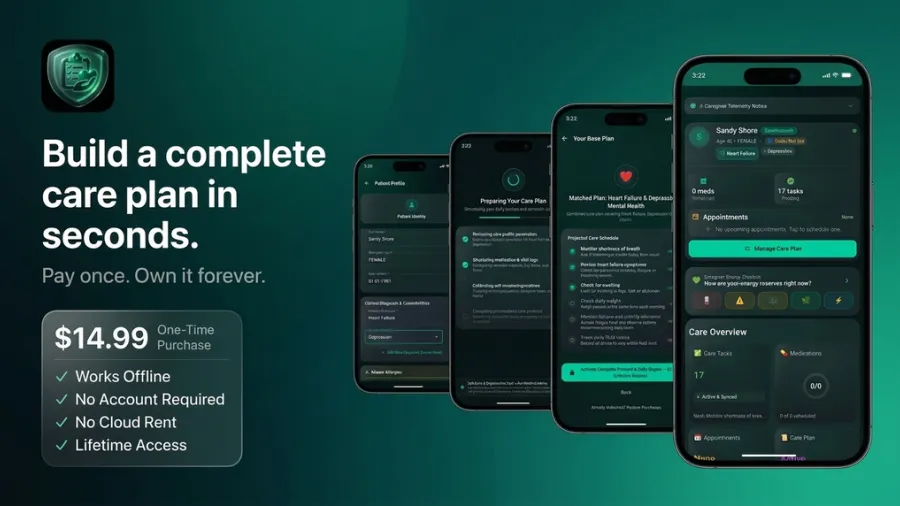
- No account required — There’s no sign-up, no email verification, no password. You open the app and start tracking. Your data is tied to your device, not to an account.
- No third-party SDKs — No analytics. No advertising trackers. No crash reporting services that collect usage data. The app functions entirely offline.
- No telemetry — ProCare Health doesn’t collect usage data, behavioral profiles, or device information. There’s nothing to collect because there’s no server to send it to.
- Export when you need it — CSV and PDF export lets you back up your data to a computer, an encrypted cloud drive you control, or share it with healthcare providers. You decide when and how your data leaves your device.
- Biometric or PIN lock — On shared devices, a security lock protects your data from unauthorized access.
- Works offline — No internet connection needed. The app functions fully offline, because all your data is already on your device.
None of this is a privacy policy promise. It’s an architectural reality. Your health data stays on your device because there is no other place for it to go.
This is not medical advice. Consult your healthcare provider for medical decisions. This article discusses data privacy architecture and is not a substitute for professional medical or legal guidance.
Track your health data with confidence in ProCare Health. All your data stays on your device. No account required.
References
Flo / FTC Settlement (2021) — Federal Trade Commission, “Developer of Popular Women’s Fertility-Tracking App Settles FTC Allegations That It Misled Consumers About Privacy of Their Sensitive Health Information.” The FTC found that Flo sent users’ health data to Facebook, Google, and other advertising networks despite promising privacy. ftc.gov/news-events/news/press-releases/2021/01/developer-popular-womens-fertility-tracking-app-settles-ftc-allegations-it-misled-consumers-about
BetterHelp / FTC Order (2023) — Federal Trade Commission, “FTC Gives Final Approval to Order Banning BetterHelp from Sharing Sensitive Health Data for Advertising.” BetterHelp uploaded over 7 million email addresses to Facebook, matching over 4 million to Facebook user IDs. ftc.gov/news-events/news/press-releases/2023/07/ftc-gives-final-approval-order-banning-betterhelp-sharing-sensitive-health-data-advertising
HIPAA and Caregivers’ Access to Information — NCBI Bookshelf, National Academies of Sciences, Engineering, and Medicine. Explains that HIPAA protects health information at covered entities (providers, health plans) but does not extend to consumer health apps. ncbi.nlm.nih.gov/books/NBK396411/
Data Privacy Laws Explained: GDPR, CCPA, and the Global Compliance Map — Consently, comprehensive breakdown of how GDPR, CCPA/CPRA, and U.S. state privacy laws apply to health data. Confirms no comprehensive U.S. federal consumer health privacy law exists. consently.net/blog/data-privacy-laws
Health Data Monetization Laws Explained: HIPAA, GDPR, CCPA, and State Rules — AccountableHQ, detailed analysis showing that state laws reach far beyond HIPAA, regulating consumer health data collected by apps and data brokers — but enforcement is patchwork and reactive. accountablehq.com/post/health-data-monetization-laws-explained-hipaa-gdpr-ccpa-and-state-rules
COPPA — Children’s Online Privacy Protection Rule — Federal Trade Commission, the rule requiring verifiable parental consent before collecting personal information from children under 13. ftc.gov/legal-library/browse/rules/childrens-online-privacy-protection-rule-coppa
Local-First is the Only Responsible Architecture for AI + Health Data — Cascade Protocol, technical analysis of local-first architecture for health data, explaining how on-device processing eliminates data transmission risks. cascadeprotocol.org/blog/local-first-health-ai
Why Your Health Data Belongs on Your Device (Not the Cloud): A Local-First Manifesto — Dev.to, practical explanation of local-first architecture, the trade-offs (no auto-sync, no web app), and why the trade-offs are worth it for health data. dev.to/beck_moulton/why-your-health-data-belongs-on-your-device-not-the-cloud-a-local-first-manifesto-3nj
Why We Built Momena as a Local-First App — Momena, honest discussion of local-first trade-offs: no automatic multi-device sync, no web app, the “lost phone” problem — and why these trade-offs are intentional for privacy. momena.app/blog/why-we-built-momena-local-first.html
Private Health Tracking on iPhone: Local-First vs Cloud Peptide Apps — Vitadel Protocol, practical guide to identifying local-first apps: airplane mode test, account requirements, offline functionality, export options, and SDK inspection. vitadel.com/protocol/guides/private-health-tracking-iphone